
How It Works

How Adapet works for your clinic.

From sensor application to Vet Portal review, Adapet connects glucose visibility, owner participation, and clinic follow-up in one veterinarian-led workflow.

Adapet CGM family of products

Product Ecosystem

A connected ecosystem for diabetic pet care.

Adapet starts with continuous glucose monitoring and connects clinic review, owner app visibility, and future pet-care devices into one workflow. Most clinics start with CGM. AdaPod and AdaFeeder extend the system by adding activity and feeding context.

Adapet CGM

Adapet CGM

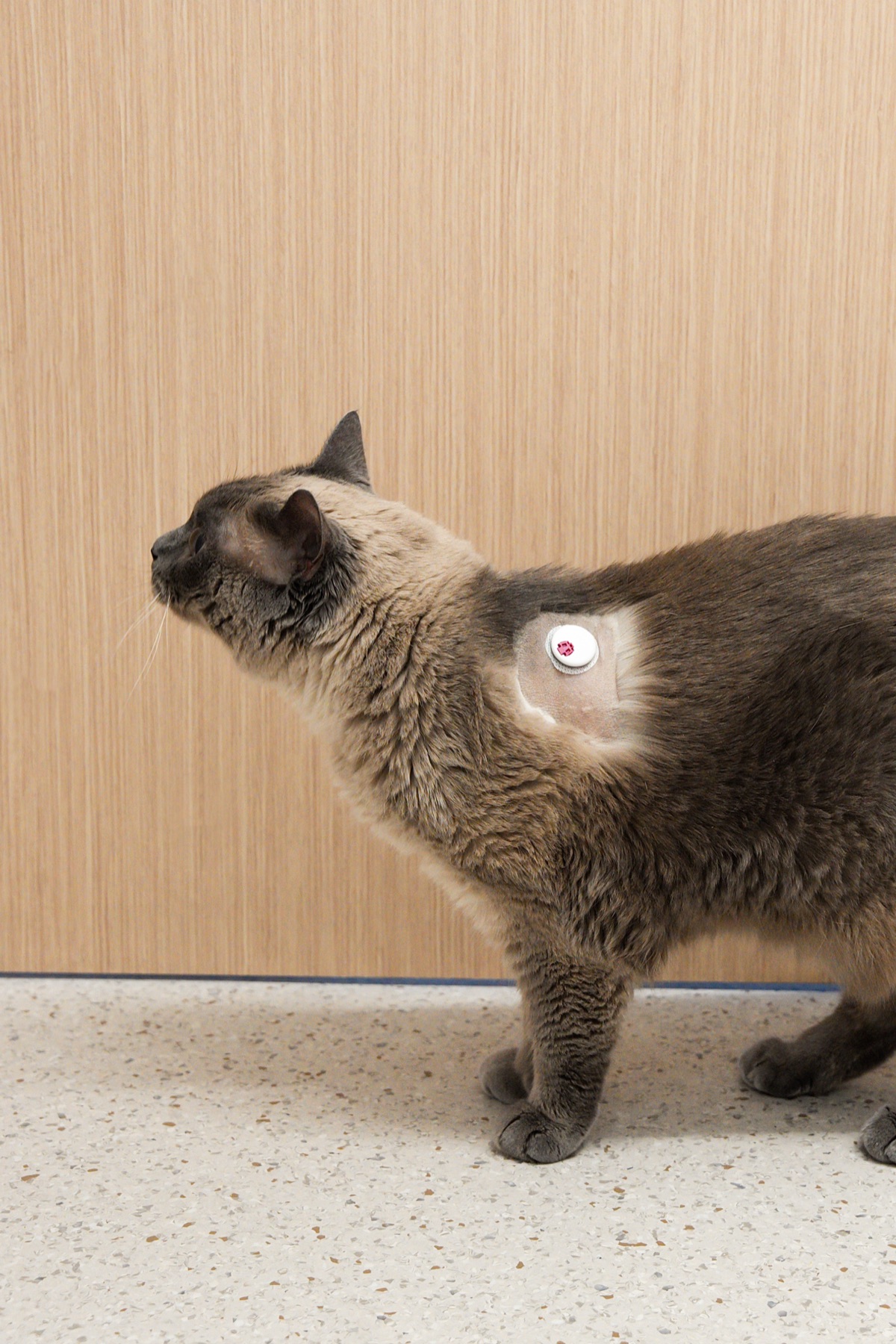
Continuous glucose monitoring for diabetic dogs and cats.

Adapet CGM helps veterinary teams review glucose trends between visits through a wearable sensor, owner app, Vet Portal, and Account Hub workflow.

  • Wearable CGM sensor for dogs and cats
  • Owner app for at-home glucose visibility
  • Vet Portal for clinic data review
  • Account Hub for orders and clinic management
  • First Case Program for guided adoption
Adapet CGM sensor
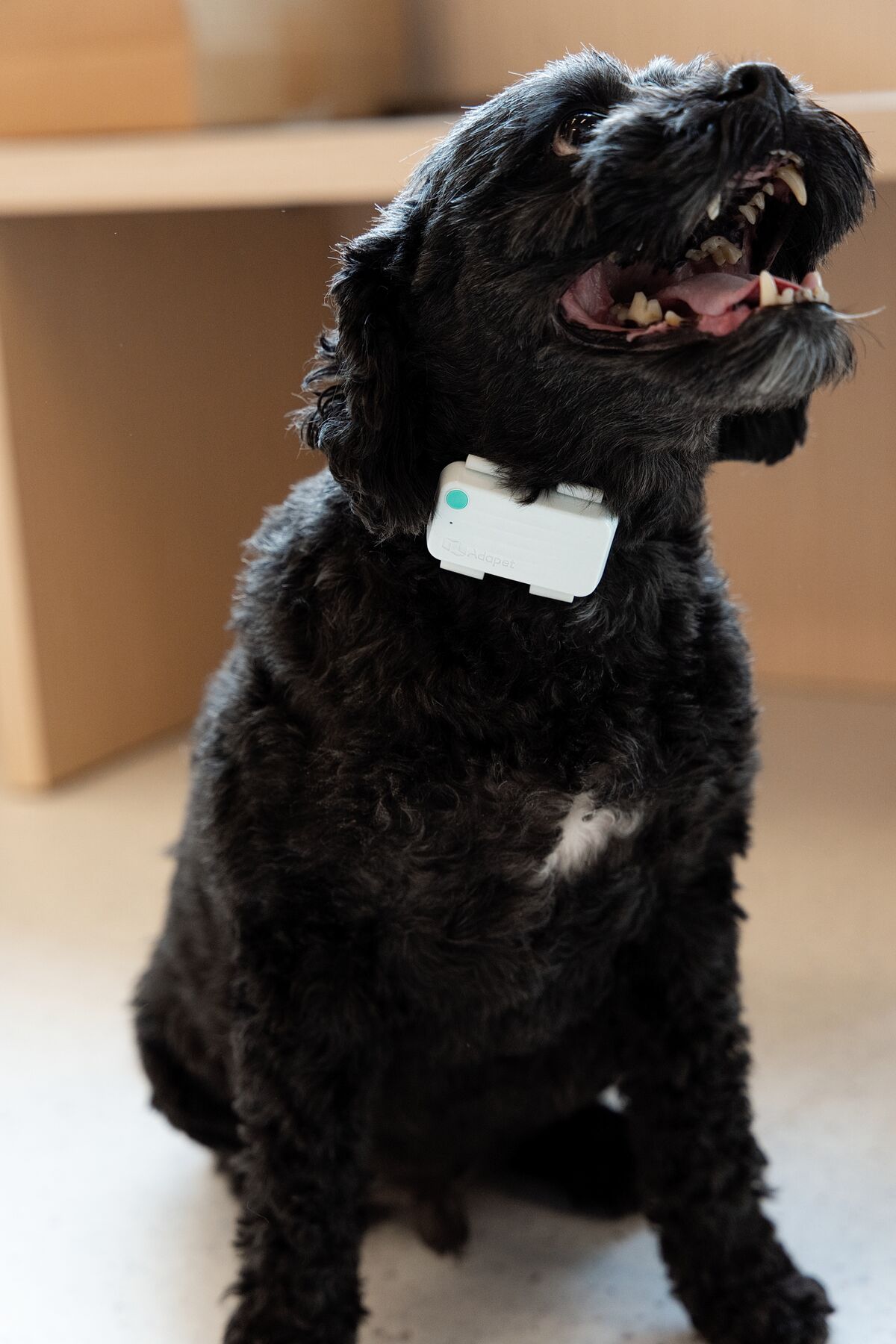
Dog wearing AdaPod

Ecosystem Expansion

AdaPod

Activity tracker and connected data hub.

AdaPod is designed to add activity context around glucose trends and future connected pet-care data streams. It helps clinics see activity information alongside glucose data when reviewing patient patterns.

  • Tracks pet activity as a wearable activity monitor
  • Receives glucose data from CGM Sensor without needing a phone to connect
  • Receives feeding data from AdaFeeder
  • Syncs all data streams to Vet Portal and Owner App
Request product update →

Feeding Insights

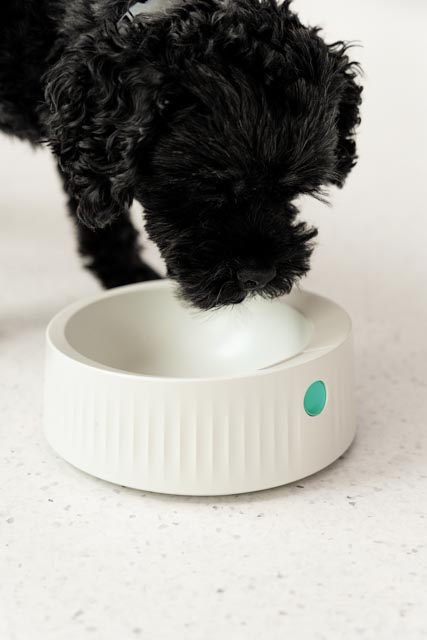
AdaFeeder

Smart feeding support for diabetic pet routines.

AdaFeeder is designed to help capture feeding routine context so veterinarians can review glucose trends alongside meal timing and consistency.

  • Helps support consistent feeding routines
  • Adds feeding context around glucose trend review
  • Helps owners share daily routine information with their vet
  • Designed to complement CGM-based monitoring
Request product update →
Dog with AdaFeeder

Full Ecosystem

How the extended ecosystem fits together

CGM Sensor

Glucose data

AdaFeeder

Feeding data

AdaPod

Activity tracker · Syncs all data

Vet Portal

Clinic data review

Owner App

At-home monitoring

Core Ecosystem

The traditional phone-sync flow — CGM Sensor pairs to Owner App, which forwards data to Vet Portal.

CGM Sensor

Glucose data

Owner App

At-home monitoring

Syncs data

Vet Portal

Clinic data review

Main Workflow

The clinic workflow: from setup to ongoing monitoring

01

Set up clinic account

Create or activate your clinic account through Account Hub to access Vet Portal, ordering, and support tools.

  • Create or activate clinic account
  • Use the correct clinic email
  • Confirm clinic access
02

Access Vet Portal

Log in to Vet Portal — your clinic's environment for reviewing CGM trends, glucose data, and patient monitoring information.

  • Open Vet Portal
  • Confirm clinic access
  • Check user permissions if needed
03

Apply sensor

Prepare the site, apply the CGM sensor, and confirm secure placement before the owner leaves.

  • Clip / clean / dry the area
  • Apply sensor
  • Check placement
  • Brief owner on basic instructions
04

Connect Owner App

The owner downloads the Adapet app and connects the sensor. Confirm they can view readings before leaving the clinic.

  • Owner downloads and logs into app
  • Sensor is paired
  • Owner understands basic app use
05

Review data in Vet Portal

Review glucose curves, time-in-range, and owner context in Vet Portal to support veterinarian-led follow-up decisions.

  • Confirm data is visible
  • Review glucose trend
  • Check time-in-range
  • Note owner context if available
06

Continue through Account Hub

Manage orders, reorders, and ongoing support through Account Hub after your first data review.

  • Place or reorder sensors
  • View order history
  • Submit support tickets

Roles

Clinic & owner responsibilities

Veterinary Team

  • Creates or approves the clinic account
  • Adds the patient profile
  • Applies the CGM sensor
  • Helps the owner connect the app
  • Reviews glucose trends in Vet Portal
  • Leads follow-up and treatment discussions
  • Manages orders and reorders through Account Hub

Pet Owner

  • Downloads the Adapet Owner App
  • Connects the sensor with clinic guidance
  • Monitors glucose trends at home
  • Logs food, insulin, activity, or symptoms if applicable
  • Contacts the clinic with concerns
  • Follows the veterinarian's treatment plan

Veterinary Advisory Input

Protocols developed with practicing veterinarians

Adapet protocols are designed with advisory input from specialist veterinarians in diabetic pet management.

Dr. Natalie Marks

Dr. Natalie Marks

DVM, CVJ, CCFP, Elite FFCP-V

Veterinarian, Veterinary Educator, Media Expert & CEO of VANE

Advisory input on clinical protocols and glucose curve interpretation guidelines.

Account Hub

Account Hub for approved clinics

Approved veterinary clinics manage ordering, sensor reorders, shipment tracking, and account support through Account Hub.

Vet Portal Login

Vet Portal

14-day glucose curves, time-in-range data, and trend analysis for each patient.

Ordering Hub

Order sensor kits, track shipments, and manage clinic purchase history.

Clinic Profile

Manage clinic details, team access, and account settings from one place.

Important safety note

Adapet CGM supports veterinarian-led glucose monitoring and does not replace veterinary medical advice or emergency care. Treatment decisions, including insulin dose, insulin timing, and diet changes, must be made by your veterinarian.

Read safety information →

Get Started

Ready to start your first case?

Activate one diabetic patient and Adapet supports your team through the first sensor application and Vet Portal review.